
Additional Images
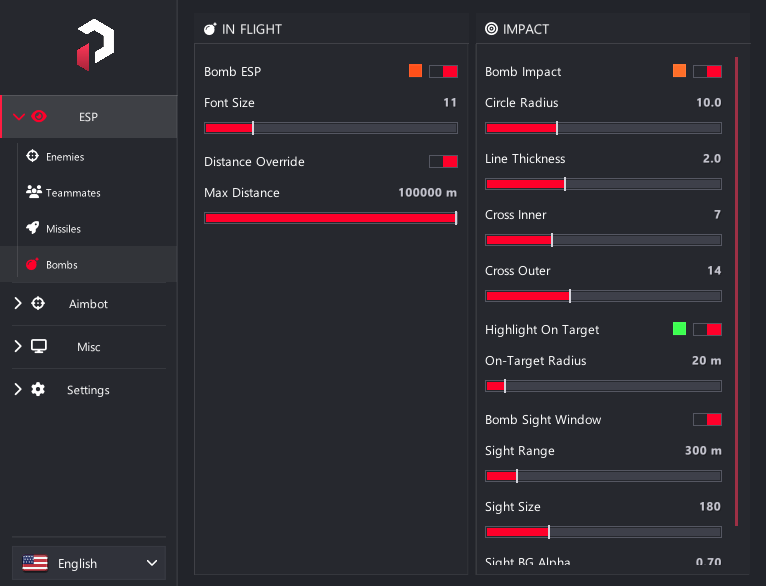
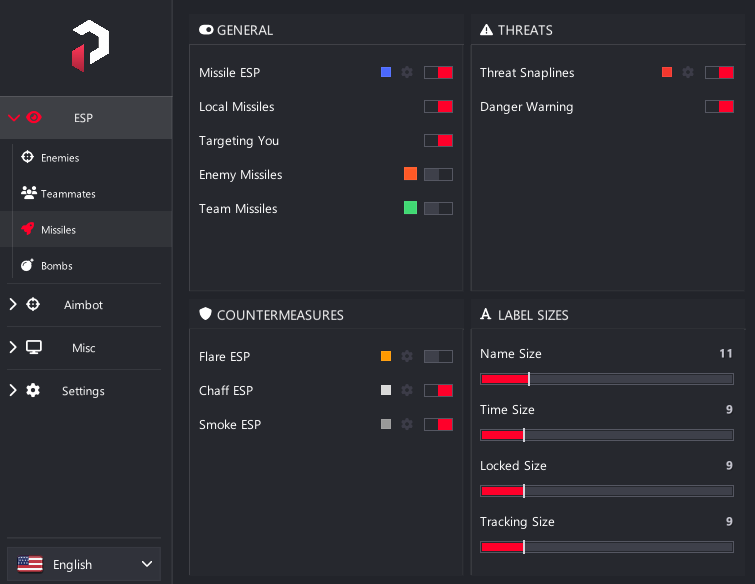
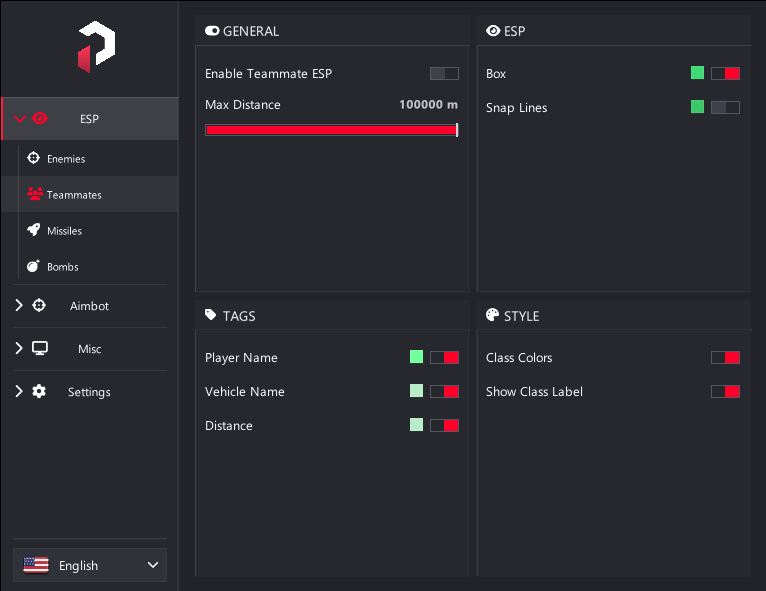
Warthunder Pure DMA
Support CPU : INTEL & AMD
Game mode : Windowed Mode, Borderless
Supported Game Version : Steam
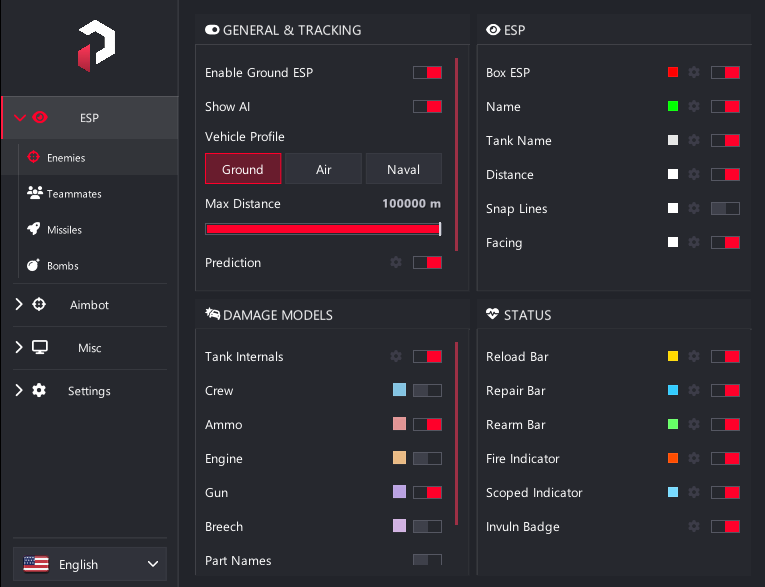
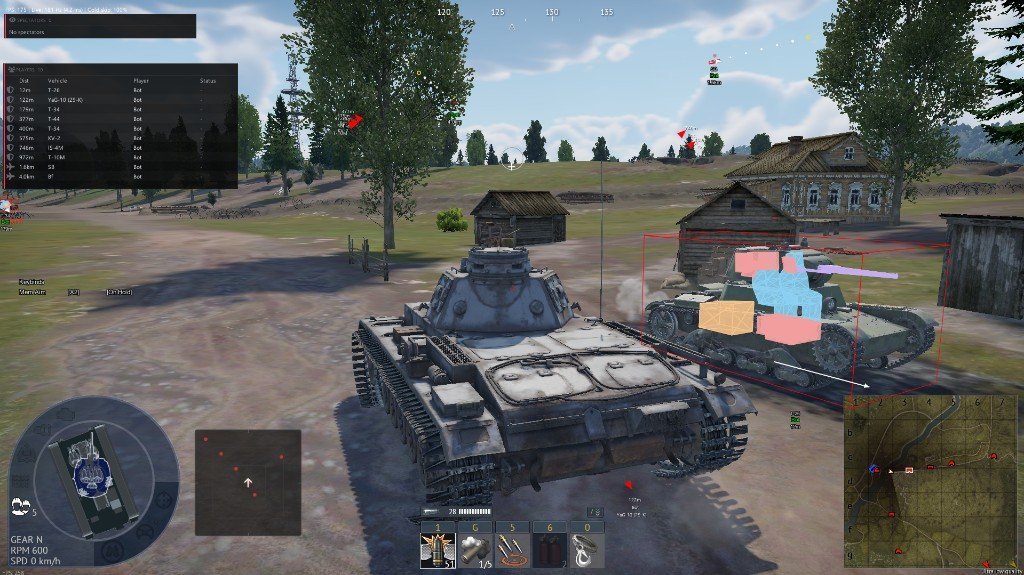
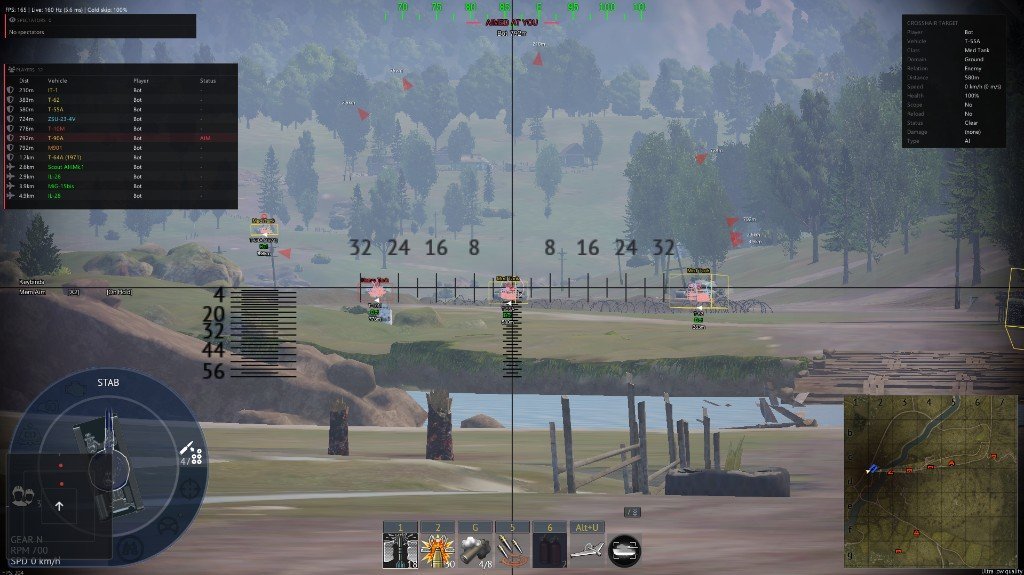
VISUALS — Ground ESP
- Enable Ground ESP
- Box Around Enemies — Style, Thickness, Color, Max Distance
- Name
- Tank Name
- Distance
- Reload Bar
- Facing
- Snap Lines
- Internals — Crew, Engine, Ammo, Per-Part Colors
- Damaged Parts
- Repair Bar
- Rearm Bar
- Fire Indicator
- Scoped Indicator
- Gun Impact
- Prediction Indicator
- Invulnerability Badge
- Last Seen
- Danger Warning
VISUALS — Air ESP
- Enable Air ESP
- Box — Style, Thickness, Color, Max Distance
- Name
- Distance
- Reload Bar
- Snap Lines
- Fire Indicator
- Scoped Indicator
- Gun Impact
- Prediction Indicator
- Invulnerability Badge
- Last Seen
- Danger Warning
VISUALS — Projectiles
- Show Incoming Shells and Missiles on Screen
- Show Outgoing Shells and Missiles on Screen
- Distance Labels
- Styling Options
VISUALS — Naval ESP
- Enable Naval ESP
- Box Around Ships
- Name
- Distance
- Related Naval ESP Options
VISUALS — Misc
- On-Screen Keybinds — Position and Color
- Player List
- Streamer Mode
- Auto Team Detect
- Aimed at You — Color Options
- Spectator List
- Crosshair Inspect — Draggable Panel with Crosshair Target Info
VISUALS — Out of FOV
- Arrows Pointing to Enemies Outside Your View
- Separate Toggles for Tanks / Ground and Planes / Air
- Arrow Size
- Arrow Distance
- Arrow Color
VISUALS — Class Colors
- Enable Per-Vehicle-Class Colors
- Color Pickers for Each Class — Heavy, Medium, SPAA, etc.
- Show Class Label on ESP
- Color-Only Without Text
- Tint Box or Name When Box Is Off
VISUALS — Radar
- Enable Radar Mini-Map
- Range
- Size on Screen
- Background Transparency
- Circle vs Square Shape
- Show Projectiles on Radar
COMBAT — Connection
- Device Type — Off, KMBox USB, KMBox Net, Macku, Macku Controller
- Auto Connect on Startup
- COM Port and Baud Rate for USB Devices
- IP, Port, and MAC for Network KMBox
- Connect, Disconnect, and Test
- Aimbot and Triggerbot Settings Appear After Device Is Connected
COMBAT — Hardware Aimbot
- Enable Aimbot
- Aim Key
- Activation — Hold Key or Always On
- Aim Points — Center, Crew, Turret, Engine, Ammo
- Target Priority — Closest to Crosshair, Closest by Distance, Lowest HP
- FOV
- Draw FOV Circle with Color
- Show Targeting
- Max Range — Uses Live Weapon Range When Available
- Smoothing
- Prediction — Advanced or Simple
- Simple Prediction — Bullet Drop On/Off, Gravity Scale
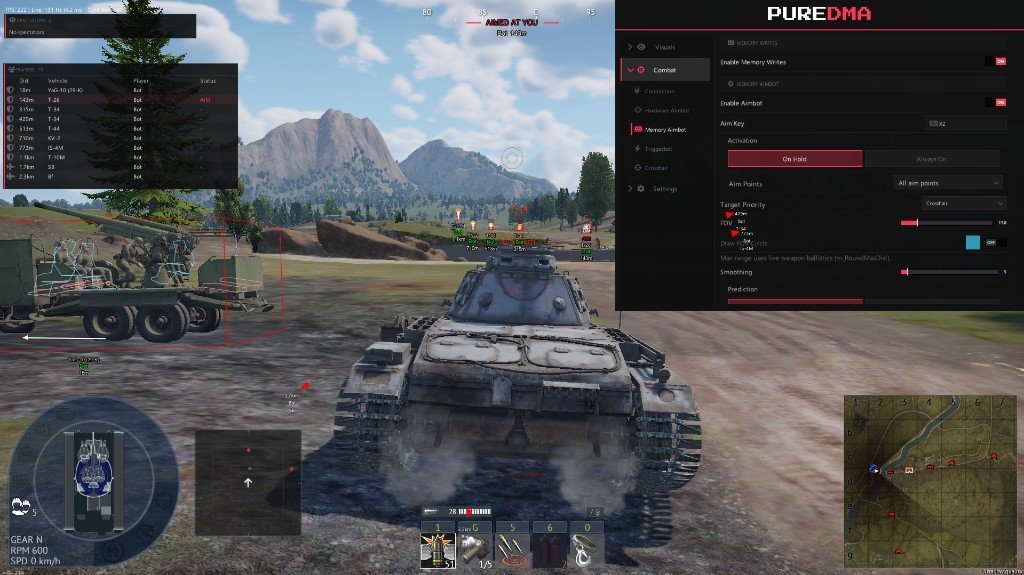
COMBAT — Memory Aimbot
- Enable Memory Writes — Master Switch, Must Be On First
- Enable Aimbot
- Aim Key
- Activation — Hold Key or Always On
- Aim Points — Center, Crew, Turret, Engine, Ammo
- Target Priority — Closest to Crosshair, Closest by Distance, Lowest HP
- FOV
- Draw FOV Circle with Color
- Show Targeting
- Max Range — Uses Live Weapon Data When Available
- Smoothing
- Prediction — Advanced or Simple
- Simple Prediction — Bullet Drop On/Off, Gravity Scale
- Moves Your View Angles In-Game Directly, Independent from Hardware Aim
COMBAT — Triggerbot
- Enable Triggerbot
- Trigger Key
- Activation — Hold or Always On
- Delay Before Firing
- FOV
- Draw FOV Circle
- Max Distance
- Aim Points
- Target Priority
COMBAT — Crosshair
- Show Crosshair Overlay
- Style — Cross, Dot, Circle, etc.
- Size
- Thickness
- Gap
- Color
- Outline On/Off
- Center Dot
- Show When Scoped or Hide When Aiming
SETTINGS — Config
- Save New Config
- Load Selected Profile
- Overwrite Current Profile
- Delete Profile — Not Default
- Active Profile Name
- Browse Saved Profiles List
SETTINGS — Keybinds
- Menu Toggle Key
- Debug Overlay Key
- Reinitialize ESP Key
- Reinitialize ESP Button — Fresh Read if Match Data Looks Stale
SETTINGS — Menu
- High-Contrast Menu — Easier to Read on Capture Setups
- Accent Color
- Rainbow Accent
- Menu Scale
SETTINGS — Overlay
- Transparent Overlay
- One PC Mode — Click-Through When Menu Is Hidden
- VSync
- FPS Counter
- Debug Overlay
- Override Screen Resolution — For Correct ESP Placement
- Custom Width and Height When Override Is On
SETTINGS — DMA / Input
- Status Cards for Game Connection
- Reading Pipeline Status
- Input Status
- Hardware Mouse Status
- Informational Only — Shows Whether Things Are Connected and Working
There are no reviews to display.
Frequently Asked Questions
Everything you need to know about our products and services.
Yes, all our tools are rigorously tested and continuously updated to remain undetected by AC systems. We prioritize account safety with advanced security protocols and maintain a strong track record of keeping our users protected.
Delivery is instant! Once payment is confirmed, you'll receive your download link and activation instructions immediately via email. Our automated system ensures you can start using your tool within minutes of purchase.
We support all major competitive games including Call of Duty (MW3, Warzone), Valorant, Fortnite, Rust, and many more. Our game library is constantly expanding based on community demand and market trends.
We offer 24/7 priority support through Discord and our ticket system. Our dedicated team assists with installation, configuration, troubleshooting, and any technical issues you might encounter.
We accept all major payment methods including PayPal, credit cards, cryptocurrency, and various digital payment platforms. All transactions are processed securely through encrypted payment gateways.
Due to the digital nature of our products, we have a strict no-refund policy. However, we offer comprehensive support to ensure your tool works perfectly. If you experience technical issues, our team will work with you to resolve them.