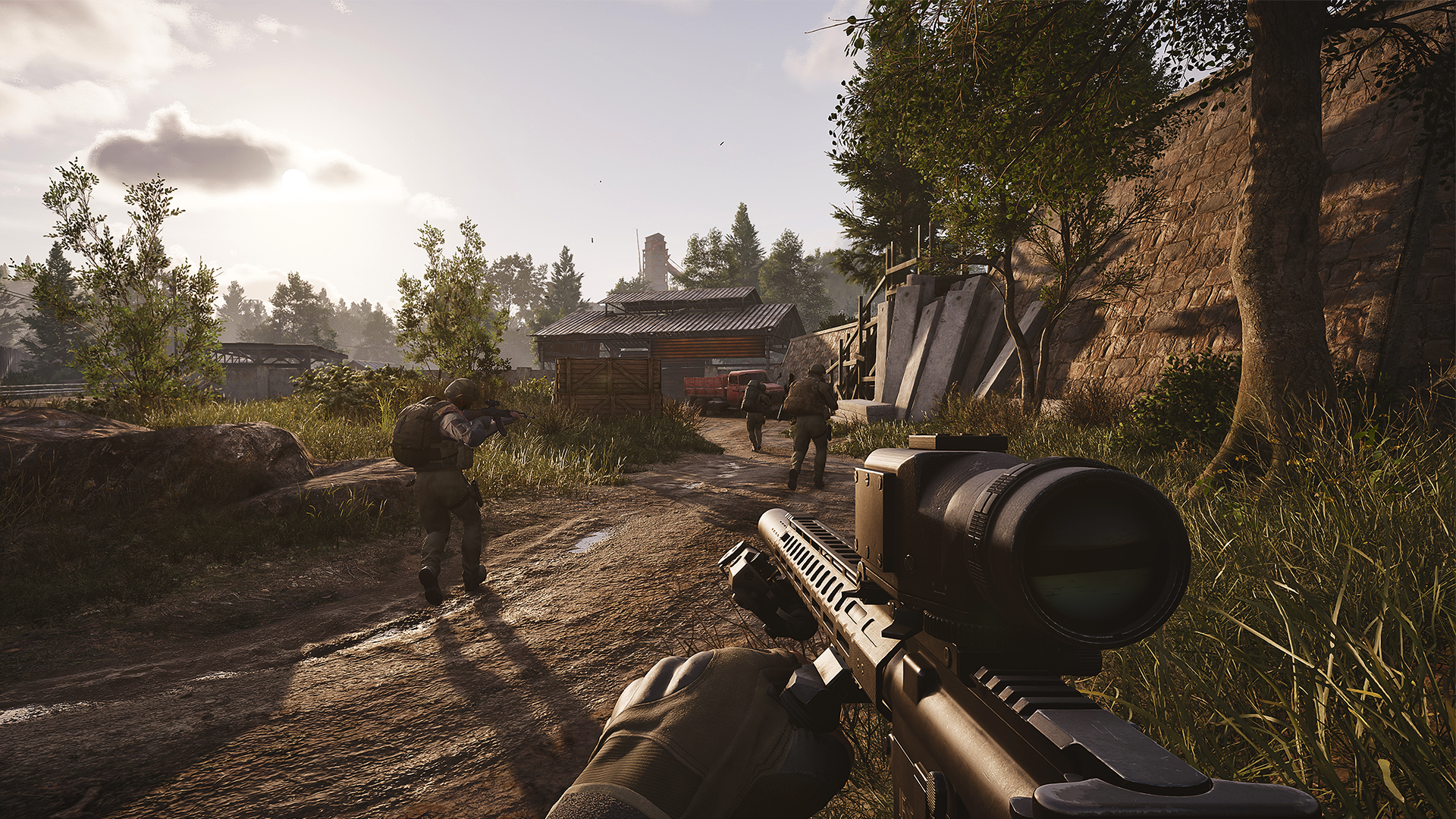
Arena Breakout Infinity Aimbot & ESP — Undetected ABI Cheats
Full aimbot with breath compensation and RCS, player and AI ESP, container content previews, and high-value item filters — built to extract with more and die less.

Arena Breakout Infinity
Premium Undetected Arena Breakout Infinity Hacks
Engineered to Win.
Precision coded for maximum performance. Our features are designed from the ground up to give you an undeniable mechanical advantage while maintaining absolute security.
Combat Control
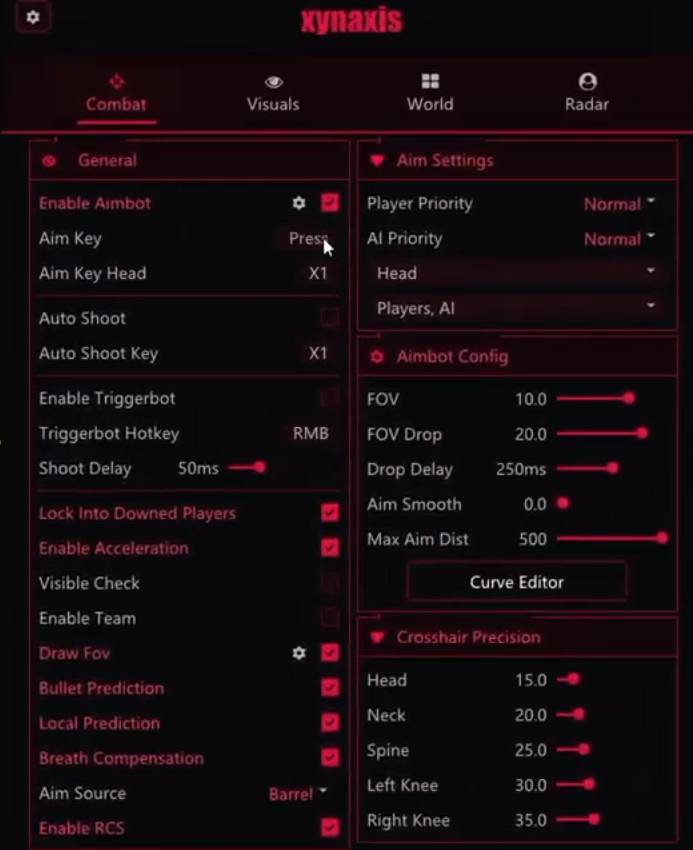
Tune aimbot, triggerbot, FOV, smoothness, max aim distance, prediction, breath compensation, RCS, and priority settings around each fight.
ESP Awareness
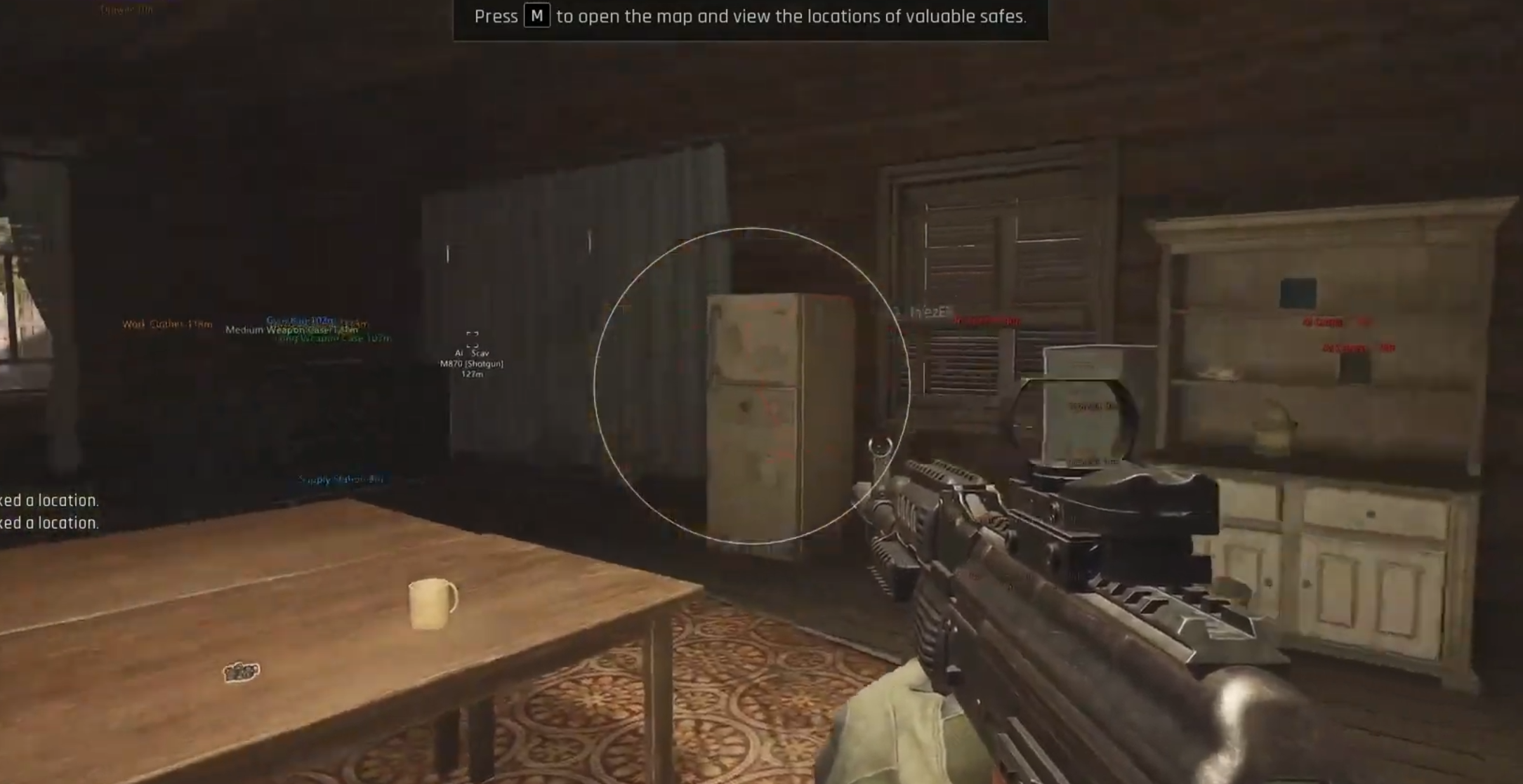
Read players and AI with boxes, health, names, weapons, distance, team ID, skeletons, offscreen cues, snaplines, corpses, and visual checks.
World Value
See hotkey items, container contents, high value items, previews, price filters, max distance, item values, and name-price-distance details.
System Support
Listed for Windows 10/11, Intel and AMD CPUs, Windowed or Borderless mode, and Launcher or Steam versions of the game.
Advanced Play Mechanics
Dive deep into the mechanics of our software to understand exactly why we dominate the market.
Arena Breakout Infinity cheats built for tactical raids and clean extractions
Arena Breakout Infinity aimbot, ESP, and loot filters from GS23 are designed around the full raid loop — not just winning a duel, but reading pressure before it happens, filtering containers for value without opening everything, and extracting before the map turns against you. The feature set covers a deep aimbot with breath compensation, RCS, and a curve editor; triggerbot with crosshair precision; full player and AI ESP; container content previews; high-value item filtering; and account encryption status. Runs on Windows 10 and Windows 11, supports Intel and AMD CPUs, and covers Launcher, Steam, Windowed, and Borderless modes.
Arena Breakout Infinity hacks that only address combat miss half of what decides a raid. The GS23 product covers both layers — the fight and the intelligence around it — so you spend less time guessing and more time executing.
Aimbot: tactical control with prediction, breath comp, and curve tuning
The GS23 ABI aimbot gives you aim key, head aim key, auto shoot, player priority, AI priority, visible check, draw FOV, bullet prediction, local prediction, breath compensation, RCS, FOV, FOV drop, drop delay, aim smooth, max aim distance, curve editor, and crosshair precision. That depth reflects what a tactical extraction shooter demands — fine-grained feel rather than one-size aggression.
FOV, smoothing, and prediction
Draw FOV shows the active aim zone while you tune — essential for dialing in without blind guessing. Narrow FOV keeps assistance close to where your crosshair already sits, producing controlled tracking that doesn't read as assistance. FOV drop tightens the cone automatically when ADS. Aim smooth shapes how the aim travels; tune it until movement feels like practiced muscle memory rather than a script. Bullet prediction and local prediction account for moving targets across ABI's corridors, open areas, and split-level buildings.
Breath compensation and RCS
Breath compensation addresses one of the most frustrating parts of ABI's precision shooting — the way weapon sway disrupts held angles and long-range shots. With it active, longer holds stay steady without requiring constant micro-adjustment. RCS flattens weapon kick without zeroing all recoil, keeping weapon behavior believable while reducing the recovery time between shots. Together these two settings do more for sustained gunfights than raw FOV adjustments.
Priority, acceleration, and curve editor
Player priority and AI priority decide what the aimbot targets when both threats share the same space — common in ABI where AI and players often occupy the same building. Acceleration shapes how quickly the assist engages at different distances. The curve editor adjusts aim response across the active FOV zone rather than forcing linear behavior, letting you create a feel that suits your hand movement and playstyle. Lock into downed players keeps tracking from jumping away from a finish in close-range multi-enemy fights.
Triggerbot: crosshair precision for tight windows
The ABI triggerbot fires when your crosshair is on target with hotkey control, shoot delay, and crosshair precision settings. ABI fights often happen in very narrow windows — a doorway peek, a corner swing, a player crossing a loot room — and precise, delayed trigger response is what separates controlled output from visible snap-firing.
- Crosshair precision keeps the trigger anchored to target zones you've set, not stray pixels.
- Shoot delay makes the response read as deliberate reaction rather than instant automated fire.
- Hotkey-only mode keeps the feature under control; always-on behavior on tactical weapons is a recognizable pattern.
- Head aim key provides a second binding for headshot-focused targeting when the fight allows it.
Player and AI ESP: full raid pressure at a glance
GS23 ABI ESP covers box, visibility check, filled visuals, health, name, hero name, weapons, distance, team ID, skeleton, team check, offscreen indicators, aim direction, snaplines, downed players, and player corpses — plus a separate AI visual layer. In an extraction shooter where every engagement is a risk-reward decision, this information layer is what lets you make those calls before you're already committed.
Combat reads: box, health, skeleton, weapons
Player box places enemies in space before they're visible through geometry. Health tells you instantly whether a target is fresh or already damaged — the difference between a safe push and walking into a full-health player who just healed. Skeleton shows posture and movement: prone, crouched at a corner, or sprinting to extract all demand different responses. Show weapons surfaces threat level before the fight — a player holding a DMR on a long corridor is not the same risk as one with a pistol in a loot room.
Situational reads: offscreen, aim direction, corpses
Offscreen indicators surface threats outside your FOV before they reach a swing angle — critical for solo play when no teammate covers your back. Aim direction shows where an enemy is looking, letting you know whether you have the angle before committing to a peek. Hero name and show name add callout value in squad play. Downed player display and player corpse information tell you where a fight just happened, whether it's been looted, and whether the area is still active. AI visuals — threat level, visibility check, name, distance — keep AI pressure readable without blending into the player layer.
World filters: container previews and high-value item intelligence
The World section is where GS23 Arena Breakout Infinity separates itself from products that only cover combat. Container content previews, high-value item filtering, minimum item value thresholds, price display, distance, and filter mode give you loot intelligence before you commit to any route or container.
Container content previews
Seeing what's inside a container before opening it is one of the highest-value features in any extraction shooter. In ABI, time spent opening empty or low-value containers is time spent standing still in a dangerous area. Content previews let you make a value call from a distance — open, skip, or come back after the immediate area is clear — without the exposure of crouching over every crate.
High-value items and price filtering
High-value item display highlights what's worth detouring for and filters out everything below your threshold. Minimum price and minimum item value settings let you calibrate to the raid goal — aggressive value hunting uses a lower threshold, cautious runs raise it to reduce overlay noise. Name, price, and distance together give you the full context: is this item on my route, is it worth the detour, and is it close enough to grab safely? Max distance keeps the overlay scoped to what's reachable rather than filling the map with distant markers.
Account encryption status
The GS23 ABI product includes account encryption status — a signal that indicates whether your account has been reported, prompting you to play more conservatively. This should be treated as a behavioral cue, not a safety guarantee. When the status shows encryption, the correct response is to reduce FOV, raise smooth values, dial back ESP range, and let any aggressive settings sit off until the session feels safe again. A product that tells you when to slow down is more useful than one that only tells you what to aim at.
Setup guide: starting points for ABI raids
- Aimbot FOV: 3–5 degrees — tight keeps the assist believable in ABI's closer indoor fights.
- Aim smooth: medium-high — ABI fights are deliberate; robotic snap-tracking stands out immediately.
- Breath compensation: on by default for any precision weapon; reduces held-angle frustration immediately.
- RCS: moderate — enough to flatten kick without removing all recoil feel.
- Bullet prediction: on; ABI targets strafe, sprint, and change elevation constantly.
- Player ESP max distance: 100–150m for indoor-heavy maps; wider only for large outdoor extraction zones.
- AI visuals: threat level and distance always on; snaplines optional to reduce clutter.
- Container preview: on; set minimum price to match your extraction goal before spawning.
- High-value items max distance: tie to your planned loot radius, not the full map range.
- Triggerbot: hotkey only, shoot delay 60–90ms, crosshair precision on center-mass zones.
- Save separate configs for loot runs, combat runs, and squad raids.
Solo raids, squad raids, and loot-focused runs
- Solo: quieter overlay — tight player ESP, AI threat level and distance, container previews at close range, small radar. Every extra label competes with the sound cues you rely on alone. Information should answer "should I move?" not overwhelm you.
- Squad: team ID, aim direction, offscreen indicators, and snaplines add real value when multiple players are calling threats. Broader ESP distance lets teammates share information rather than each running max range individually.
- Loot-focused runs: World section primary — container contents, high-value items, price filtering tight, max distance scoped. Combat settings conservative. ESP active as a warning layer, not a targeting tool. Extract faster, take fewer fights.
- Combat-heavy runs: World labels reduced, player ESP full including weapons and aim direction, aimbot tuned for close-range aggression, triggerbot active, AI visuals on to avoid getting caught in AI crossfire during pushes.
Risk management and safety
ABI's tactical pace actually benefits conservative settings — deliberate, smoothed aim reads as skilled play rather than assistance. Wide FOV and instant acquisition are the combinations most likely to attract reports. Keep FOV tight, smoothing high, and breath compensation doing the work instead of extreme snap settings.
- Visible check on permanently — aim output limited to targets in line of sight is always harder to flag.
- Always-on triggerbot with no delay on semi-auto rifles is a readable pattern; keep it keyed.
- Monitor account encryption status and pull settings back the moment it signals reports.
- Raise minimum item value thresholds over time — excessive ESP labels are visible in streams and recordings.
- Update after patches — anti-cheat updates affect detection status.
Further reading
Check the GS23 Arena Breakout Infinity product page for current pricing, stock, and compatibility. Browse the full Arena Breakout Infinity cheats category or start from the GS23 homepage. For game background, see Arena Breakout Infinite on Wikipedia or the official Arena Breakout Infinite site.
Trusted by Thousands.
See what our community has to say about their experience using our premium software architecture.

Switched to their DMA setup last month and haven't looked back. The 1 PC to 2 PC transition was completely seamless thanks to the support team. 100% undetected since day one.
Ai aim assist 10/10 works, support guy was very helpful
V9 Ai aim on ps5 wtf lock very good
I try to buy from many store before And The only store you can trust is GS23 Services 👑
Switched to their DMA setup last month and haven't looked back. The 1 PC to 2 PC transition was completely seamless thanks to the support team. 100% undetected since day one.
Ai aim assist 10/10 works, support guy was very helpful
V9 Ai aim on ps5 wtf lock very good
I try to buy from many store before And The only store you can trust is GS23 Services 👑