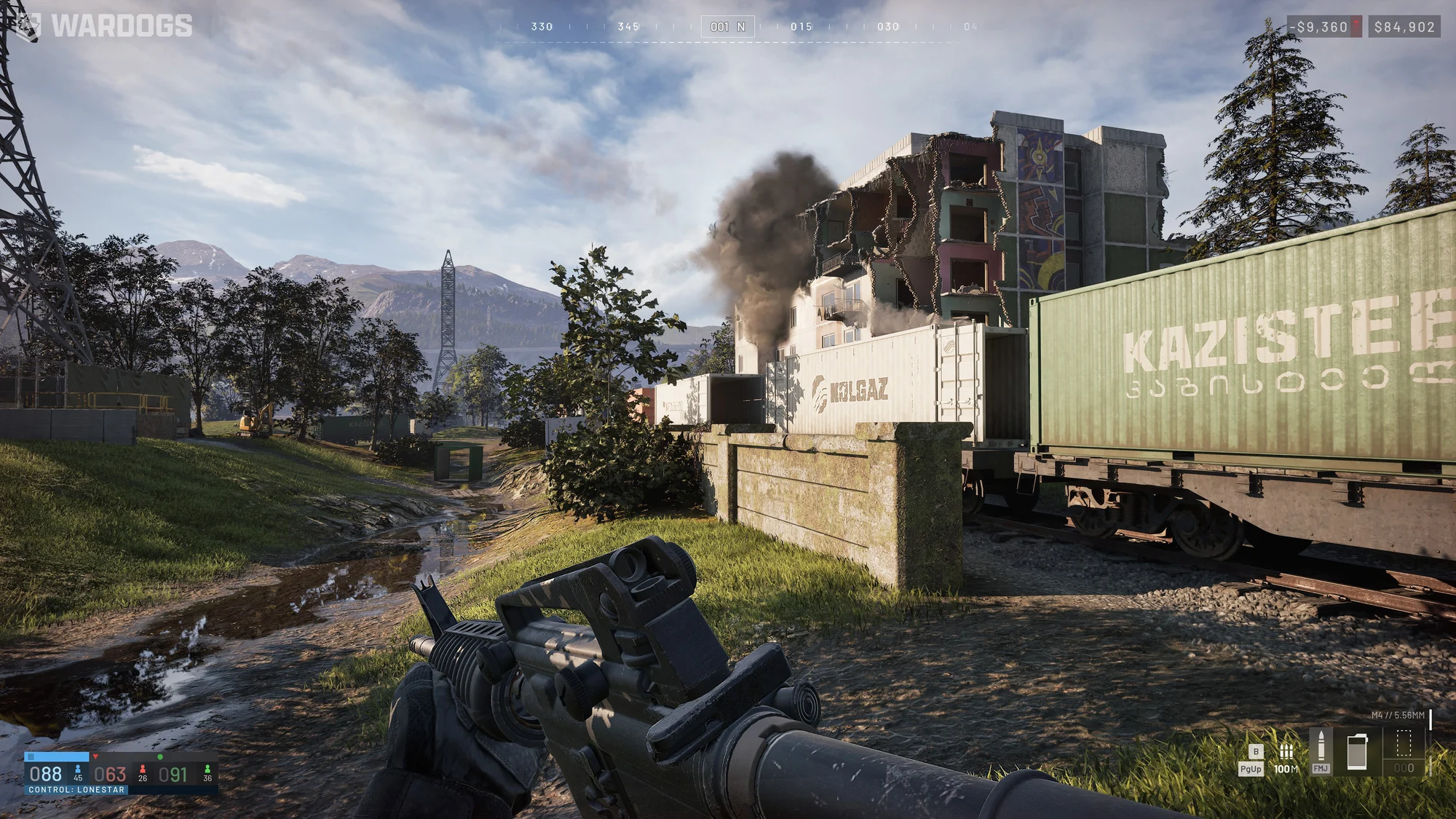
Wardogs Cheats — ESP, Aimbot & Ballistic Prediction
Wardogs models real bullet drop and travel time, and every death costs you the loadout you paid for. Aimbot with gravity prediction, per-weapon SDK velocity and movement lead so long shots land — plus box and skeleton ESP, health bars, distance and teammate filtering to stop you losing kit to contacts you never saw.
Wardogs
Premium Undetected Wardogs Hacks
Engineered to Win.
Precision coded for maximum performance. Our features are designed from the ground up to give you an undeniable mechanical advantage while maintaining absolute security.
Player ESP & Battlefield Awareness
Box and skeleton rendering through walls, health bars, player names, distance readouts, teammate filtering to keep the screen focused on real threats, and adjustable ESP draw distance for clean long-sightline engagements.
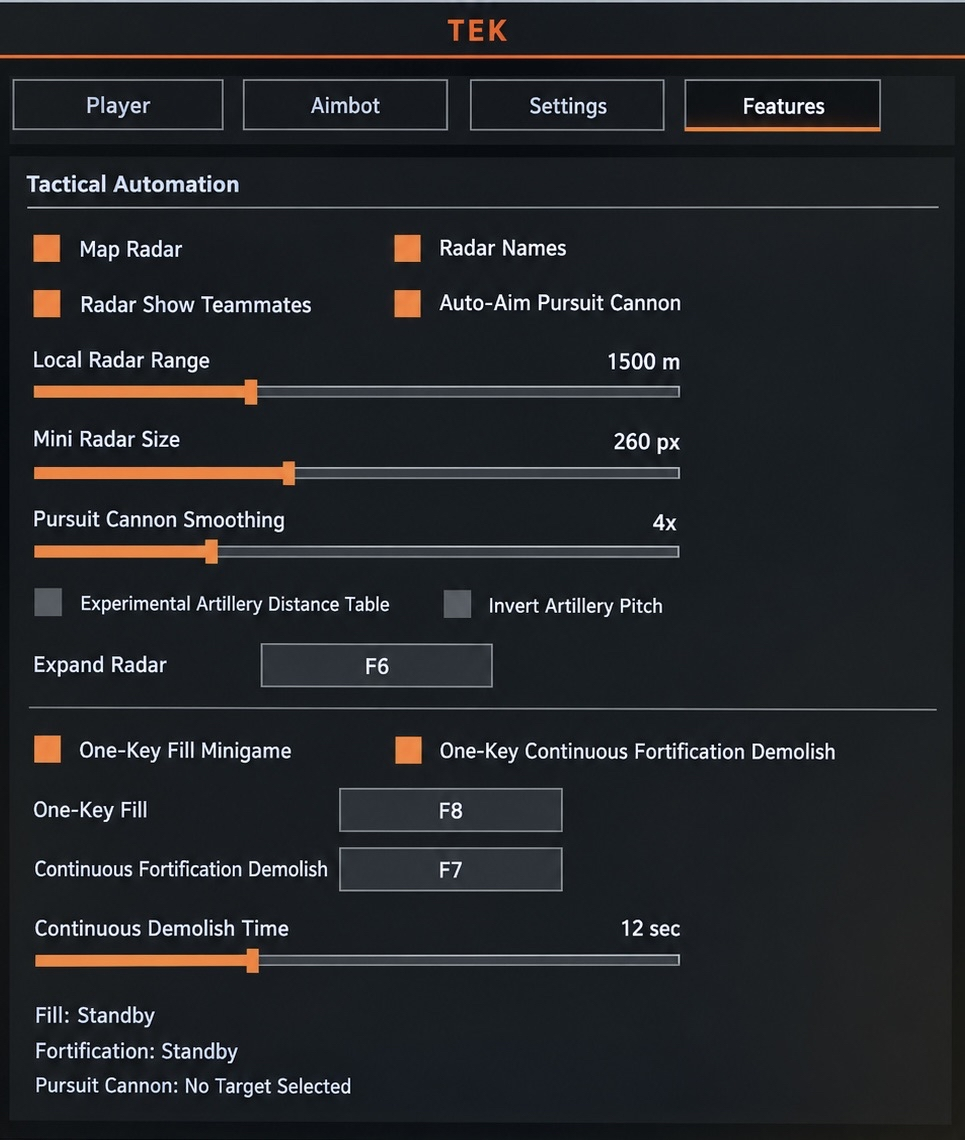
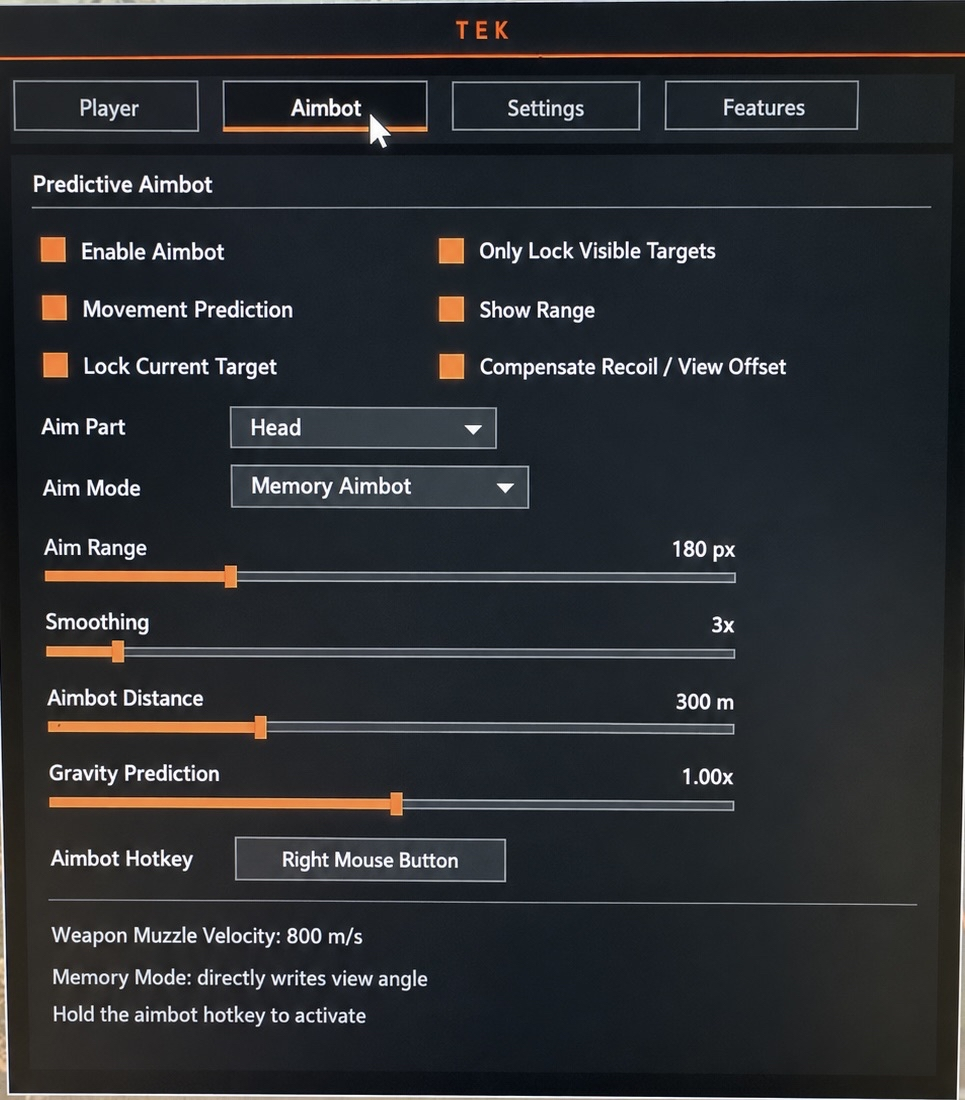
Ballistic Aimbot & Prediction
Gravity prediction for bullet drop, SDK weapon velocity pulled per-weapon, and movement prediction to lead moving targets across flight time. Bone selection, aim FOV, smoothing, aim distance, and visible-only targeting.
Crosshair & Visual Tuning
Draw crosshair with independent length, gap, and thickness control for a reticle that fits your resolution and playstyle, plus ESP font sizing so distance and name readouts stay legible without covering the engagement.
Colors, Hotkeys & Status
Full color picker across box, skeleton, text, and crosshair so the overlay parses by color at a glance. Menu and exit hotkeys for in-match control, live player counter, and player status readout.
Advanced Play Mechanics
Dive deep into the mechanics of our software to understand exactly why we dominate the market.
Wardogs cheats built for a shooter where every bullet drops, every death costs you cash, and two enemy factions are hunting the same zone you are
If you are here, you have probably already lost a bought loadout to someone you never saw, or watched three rounds sail under a target at 200 metres because you guessed the holdover wrong. Wardogs is unusually punishing about both of those things, and this product is built around exactly those two failure points. You get player ESP with box, skeleton, health bar, name, distance, teammate filtering and adjustable draw distance, and an aimbot with gravity prediction, SDK weapon velocity, movement prediction, bone selection, aim FOV, smoothing, aim distance and visible-only targeting. On top of that: a drawable crosshair with length, gap and thickness control, ESP font sizing, a full colour picker across every overlay element, menu and exit hotkeys, a live player counter and a player status readout.
Wardogs launched into Early Access on 10 September 2026 after a closed beta that began on 22 August, developed by British studio Bulkhead and published by Team17. It runs on Unreal Engine 5 through Bulkhead's proprietary War Dynamics Framework, which the studio built alongside real aerospace and ballistics specialists. That single decision is why this game feels different to shoot in, and it is why a generic aimbot built for hitscan games will miss constantly here while a ballistics-aware one lands. Below is what the game actually does to you, and precisely which setting answers it.
Why Wardogs punishes you differently from every other shooter you have played
Understanding these three mechanics is the difference between buying settings you never tune correctly and building a setup that pays for itself in a single session. Wardogs is not a respawn shooter with a big map bolted on. It is a persistent-economy war sim, and it charges you for mistakes.
Every death takes your loadout with it
You spend cash in the armoury before you deploy — weapons, optics, magazines, ammunition, body armour, vehicles. When you die, that gear is gone permanently and you buy it again out of a bank balance that carries across matches. There are no progression unlocks gating weapons and no microtransactions; your cash is the only thing standing between you and a worse kit next life. This changes what information is worth to you. In a normal shooter, dying costs you thirty seconds. Here it costs you the rifle, the optic, the armour and the vehicle you paid for, and you feel it two matches later when you cannot afford the loadout you wanted. Every ESP element in this product is, functionally, loss prevention. Knowing a contact is there before he knows you are protects an investment, not just a killfeed entry.
Your bullets have travel time and they fall
Wardogs models real ballistics — genuine bullet drop, genuine flight time, and damage falloff over distance. The community shorthand for it is blunt and accurate: a gun that shreds at 50 metres can feel useless at 200. Engagements sort into three brackets, and each one asks for something different from you. Under 50 metres it is handling and rate of fire. Between 50 and 150 metres it becomes recoil control and sustained accuracy. Past 150 metres it is muzzle velocity and leading targets, and this is where the overwhelming majority of players quietly stop being able to hit anything. At that range you are not aiming at a person; you are aiming at where a person will be in a moment, several metres above where they currently appear on your screen. That is a genuinely hard mental calculation to do under fire, at a different distance, with a different weapon, every single life.
Three factions means the flank is always coming
Up to 100 players fight as Lonestar, Valkyra and Manticore over a 2x2 kilometre Control Zone inside a sandbox roughly 256 square kilometres across. Whichever faction has the most players inside the zone banks a point every 30 seconds, and the first to 100 points takes the match. Inside the Control Zone sits a shifting HotZone where each player counts double toward capture and every earning — kills, revives, score — pays double cash. The structural consequence is the thing you keep dying to: when two factions lock into a grinding firefight, the third walks around the side. Two-team shooters train you to expect danger from one arc. Wardogs will kill you from the direction you had already cleared, because a completely different faction arrived there while you were busy.
The aimbot: built for ballistics, not for hitscan
This is the part that matters most in this specific game, and it is worth understanding what each setting is actually compensating for rather than turning everything on and hoping.
Gravity prediction — the setting that unlocks the 150 metre bracket
Every round you fire falls under gravity from the instant it leaves the barrel, and the amount it falls scales with how long it is in the air, which means it scales with range. A shot needing no holdover at 50 metres needs real elevation at 300. Gravity prediction calculates that arc and applies the vertical correction for you, so your aim point reflects where the round will actually be when it arrives rather than where your barrel is pointed right now. In practical terms this is the setting that hands you the long bracket. If you have been an effective close and mid-range player who simply stops contributing past 150 metres, this is the specific thing that was stopping you, and it is a solved problem rather than a skill you need six months of trigger time to build.
SDK weapon velocity — why pulling it per weapon matters here specifically
Drop is only half the equation. The other half is how fast your particular round is travelling, because a faster projectile flies flatter and drops less over the same distance while a slower one arcs considerably more. SDK weapon velocity reads the muzzle velocity of whatever you currently have equipped straight from the game rather than assuming a fixed value. In most shooters that would be a nice-to-have. In Wardogs it is close to essential, because of how the economy works: you buy a kit each life and that purchase is your role until you die. The closed alpha shipped with 33 weapons and the count grows through Early Access. You are not settling into one rifle for a season — you are buying whatever your bank balance justifies this life, which might be a cheap general-purpose rifle after an expensive death and something with far better velocity after a profitable HotZone run. A fixed-velocity aimbot would be tuned correctly for one of those and quietly wrong for every other gun you pick up. Reading it live means the correction stays honest across your whole armoury.
Movement prediction — shooting where they will be
Because rounds take real time to arrive, a target moving laterally will not be where you aimed when the bullet gets there. Movement prediction reads target velocity and leads the shot by however far they will travel during flight time. This solves the exact scenario the long bracket is defined by: someone sprinting across open ground at 250 metres, where the required lead is wide enough that intuition produces consistent misses even from good players. Run it with gravity prediction and the aimbot is solving both axes at once — how far the round drops and how far the target moves, across the same flight window. That combination is the entire long-range skill ceiling of this game, handled.
Aim FOV, smoothing, bone selection, aim distance and visible-only
Aim FOV sets the cone the aimbot will acquire targets within, and show aim FOV draws that cone on screen so you can size it honestly before you trust it. Keep it tight. A narrow cone stays anchored to targets you were already roughly aiming at, which means your own crosshair placement still does the work and the corrections stay small and unremarkable. Smoothing decides how gradually that correction is applied — raise it and the adjustment spreads across more frames and reads as deliberate aim, lower it and you get speed for the sub-50 metre fights where reaction time is the only thing that matters. Aim bone selection anchors to the head for maximum damage per round that connects. Aim distance caps the range the aimbot will engage at, and it is worth setting this to where your currently bought weapon is genuinely effective rather than leaving it wide open — this game will happily let you take a 400 metre shot with a weapon that has no business attempting one. Visible only restricts targeting to players with a real line of sight, so the aimbot never tracks someone through a wall, a fortification or the remains of a building.
Hold-to-activate, and what "only mouse movement is driven" actually buys you
The aimbot runs on a hold-to-fire hotkey rather than continuously, so it sits inactive through most of a match and engages only when you deliberately ask it to. The technical detail worth caring about is what happens while that key is down: only your mouse movement is driven. The correction moves your cursor rather than writing view angles directly into memory, which means it travels through the same input path your own hand uses. You get movement with genuine acceleration and travel time instead of instantaneous angle snaps, and your own input stays blended into the result rather than being overridden by it. Two things follow from that. It feels like your aim rather than something wrestling you for the mouse, which matters across long sessions. And given Wardogs ships with kernel-level Easy Anti-Cheat, view movement that carries the characteristics of real mouse input is a meaningfully different proposition from movement that does not.
Player ESP: the layer that protects your bank balance
Aim wins you the fight you chose to take. ESP is what stops you taking the fight that costs you a kit you spent three profitable lives affording.
Health bars and the finish-or-fold decision
Health bar display tells you the condition of every player you can see, and in a game with permanent gear loss that is the highest-value read on the screen. The decision it answers is whether a target is worth the shot that gives away your firing position. A contact already down to a sliver is a finish worth taking. A full-health enemy across open ground with cover in reach is very often not, because the muzzle flash that misses him brings his squad — and possibly a third faction — onto a position you were holding profitably. Health bars turn that from a gut call into a read.
Distance ESP and knowing which bracket you are actually in
Distance is the most quietly important number this overlay gives you, because Wardogs sorts combat into brackets and your bought weapon only performs in some of them. A contact at 140 metres and a contact at 210 metres call for completely different responses with the same rifle in your hands. Distance ESP tells you instantly which bracket you are in, whether the weapon you could afford this life can actually service the target, and whether you should be shooting at all or repositioning to a range where your kit is not wasted. It is also the same value the aimbot's ballistic correction is working from, so the number you read and the correction you get come from a single consistent picture.
Box and skeleton through rubble, fortifications and collapsed buildings
Box ESP frames contacts cleanly and reads at distance, which is what you want across the long sightlines this map offers. Skeleton adds the posture underneath — prone behind a berm, crouched at a window, leaning out of hard cover, moving between positions. In Wardogs that detail earns its place because the battlefield does not stay the way it started. Apartment blocks and whole towns are destructible, and on top of that players build: sandbag walls, razor wire, barricades, machine gun nests and full forward operating bases, nearly all of which can be demolished again with heavy ordnance. Cover appears, gets flattened, and leaves irregular rubble that conceals people in shapes no map knowledge prepares you for. A box tells you a body is there. The skeleton tells you how much of him is actually exposed and whether the shot is available right now.
Filter teammates when 100 players converge on one zone
Filter teammates strips friendly players out of the overlay entirely. In a two-team shooter that is a mild convenience. Here it is close to mandatory: up to 100 players funnel into a 2x2 kilometre Control Zone, and the ones who are not your faction belong to two separate hostile factions who are also fighting each other. With allies filtered out, every marker on your screen is something that can take your kit. Nothing on the overlay needs a second look to classify, which is exactly what you want when the shooting starts from an angle you thought was clear.
Draw distance, because the map is 256 square kilometres
ESP and player draw distance caps the range at which players render at all, and on a sandbox this size that is a clarity tool rather than a restriction. Draw everyone and you get a wall of overlapping markers that buries the fight actually in front of you. Set it to the sightlines you genuinely fight across and the overlay stays about contacts you can service, while people two ridgelines away stay off your screen until they matter. Push it wider when you are holding a long overwatch position and want early warning of a rotation forming; pull it in when you are fighting inside a town and only the next hundred metres exist.
Crosshair and font: reading the overlay while it matters
Draw crosshair puts a permanent centre reference on screen independent of the game's own reticle, which is worth having when you are hip-firing in close, when iron sights crowd the middle of your view, or when you want one consistent aim point across the different weapons you buy from life to life. Length, gap and thickness are each independently adjustable, so you can run something thin and tight with a small gap for precision work at range, or something heavier with more separation that stays visible while you are tracking hard in close. ESP font size scales the text on your overlay — the names and, more importantly, the distance readouts. Get this wrong in either direction and you lose the benefit: text sized for 1080p becomes unreadable at 1440p or 4K, and oversized text on a smaller display sits on top of the engagement it is describing. Set it to your actual resolution before your first serious match, because distance is a number you need to absorb in a glance while already under fire.
Colours, hotkeys and the player counter
Box, skeleton, text and crosshair colours are each independently driven by a full colour picker rather than a fixed preset list. Treat this as a clarity feature rather than decoration: give the elements genuinely distinct colours and you start parsing the overlay by colour instead of reading it piece by piece while someone is shooting at you. Terrain matters here too — Wardogs is set in the derelict industrial mountains of Eastern Europe, so an overlay tuned against dark interiors can wash out badly against bright open ground and snow, and vice versa. It is worth spending five minutes setting colours that survive both.
Menu hotkey opens and closes the configuration interface without leaving the match, so you can retune between engagements instead of restarting. Exit hotkey unloads cleanly on one key. Player counter gives you a live read on how many players are actually on the field, which in a three-way fight for a single zone tells you something genuinely tactical: a high count means the zone is contested and the HotZone is a meat grinder, while a falling count means factions have been ground down and the zone may be takeable cheaply. Data and player status confirms the overlay is reading game state correctly, which is worth a two-second glance before you commit a kit you care about.
How to set this up for the way you actually play
Wardogs has no fixed classes — your role is whatever gear you bought this life, though the game tracks six progression paths across Assault, Medic, Recon, Support, Driver and Pilot. Tune to the one you spend your cash on.
- Assault, fighting inside the zone: tighter aim FOV with lower smoothing for fast sub-50 metre response, skeleton ESP prioritised for reading exposure around rubble and player-built cover, and a shorter ESP draw distance so the overlay stays about the building you are in. Health bars are your main read — inside the HotZone every earning pays double, so finishing weakened contacts there is where your bank balance actually grows. Heavier crosshair with a wider gap tracks better while moving.
- Recon and marksman, working the long bracket: this is where gravity prediction and SDK weapon velocity earn the purchase outright. Confirm both are active, raise smoothing so corrections across large angles stay controlled, and set aim distance to match the effective range of whatever optic and rifle you could afford. Push ESP draw distance wide for early warning of rotations forming, and lean on distance ESP to decide which contacts are inside your bracket and which are not worth revealing your position for.
- Medic and Support, playing the economy: your income comes from revives, logistics and objective work rather than kills, so your overlay should be about survival and timing. Keep aim FOV conservative and visible-only on. Health bars tell you which enemies near a downed teammate are actually finishable before you commit to the revive, and the player counter tells you whether the area is emptying out enough to make the attempt. Waiting for a revive instead of respawning saves you rebuying your kit, so knowing when the coast is genuinely clear is worth cash.
- Driver and Pilot, moving the squad: maximum ESP draw distance so you can see what is waiting at the drop before you commit an expensive vehicle into it. Distance readouts matter for choosing an approach that does not fly or drive into a prepared anti-air or anti-armour position. Keep the aimbot conservative — your value is delivering the squad intact, and a vehicle lost is a far larger cash write-off than a rifle.
- Everyone, first session: leave visible-only enabled permanently so the aimbot never tracks through the destructible terrain this game is full of. Use show aim FOV while you dial the cone in, then switch it off once it is right. Set ESP font size to your resolution before you deploy. Start with box, health bar and distance only, add skeleton once that reads cleanly, and turn on filter teammates immediately — in a three-faction fight you want every marker on screen to mean threat.
Browse the full Wardogs cheats category, go straight to Wardogs, or take a look at Hyperpass if you want access across multiple titles. The GS23 homepage has everything else in the store. For background on the game itself, see Wardogs on Steam or Wardogs on Wikipedia.
Trusted by Thousands.
See what our community has to say about their experience using our premium software architecture.

Switched to their DMA setup last month and haven't looked back. The 1 PC to 2 PC transition was completely seamless thanks to the support team. 100% undetected since day one.
Ai aim assist 10/10 works, support guy was very helpful
V9 Ai aim on ps5 wtf lock very good
I try to buy from many store before And The only store you can trust is GS23 Services 👑
Switched to their DMA setup last month and haven't looked back. The 1 PC to 2 PC transition was completely seamless thanks to the support team. 100% undetected since day one.
Ai aim assist 10/10 works, support guy was very helpful
V9 Ai aim on ps5 wtf lock very good
I try to buy from many store before And The only store you can trust is GS23 Services 👑